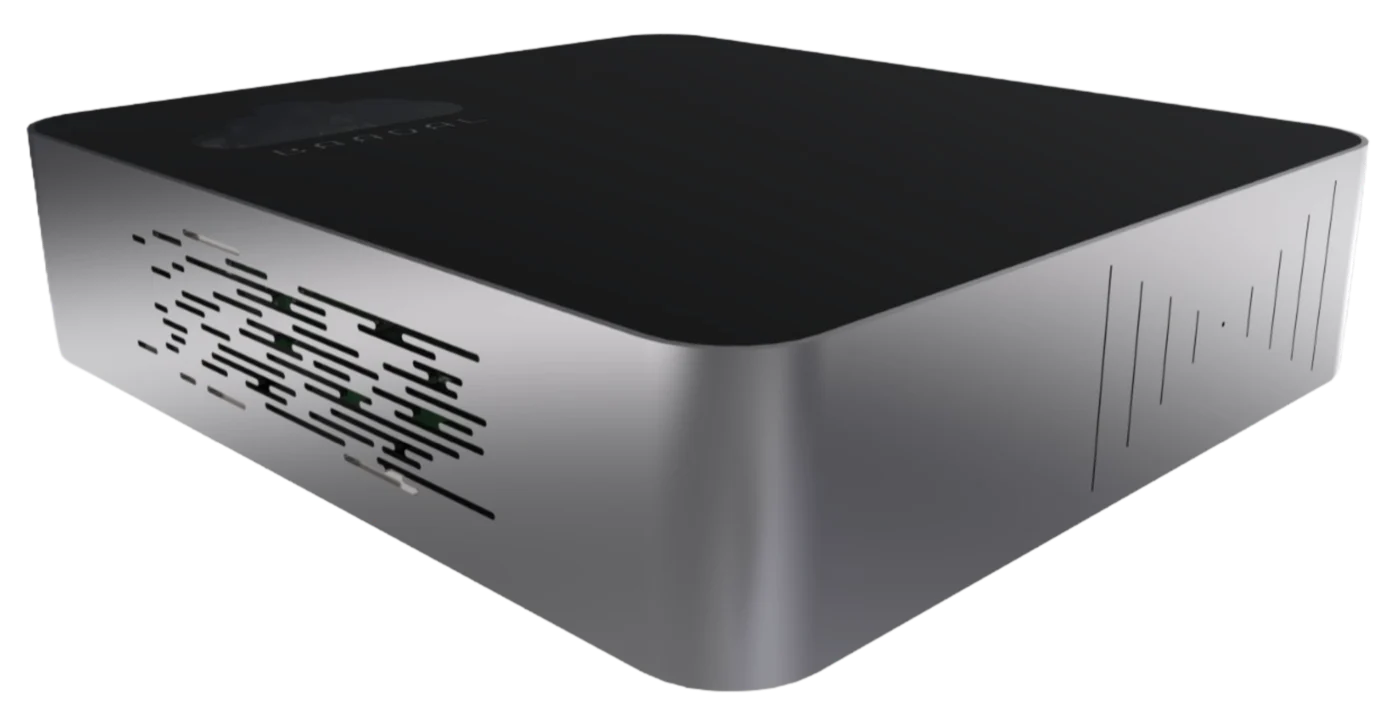
The software that makes a box behave like a cloud.
Users, permissions, search, sharing, version history, backups, workflows and virtual machines, in one place. BaadalOS runs on every Baadal and looks after itself, so nobody at your firm has to become the IT person.
6 sample files indexed. Type, or pick a search above.
pdfGST_Notice_FY24_Shah_Traders.pdfClients / Shah TradersNotice under section 61 — reply pending. Scrutiny of returns for FY 2023-24, response due within 30 days.
jpgScan_0412.jpgClients / Patel Exports · read from a scanScanned letter: GST notice received 14 Oct, client asked for ledger copies before the reply.
xlsBOQ_Dwarka_Rev3.xlsxProjects / Dwarka TowerBill of quantities, revision 3: revised steel and concrete quantities for tower B.
dwgSite_Plan_Rev07.dwgProjects / Dwarka TowerDrawing notes: revised setback along the east boundary, see BOQ rev 3.
docEngagement_Letter_2026.docxClients / Nair FoodsSigned engagement letter for statutory audit, FY 2026-27. Countersigned by both partners.
pdfTDS_Return_Q2.pdfAccounts / FilingsTDS return for Q2 filed. Acknowledgement number and challan details on page 2.
Sharing
dwgSite_Plan_Rev07.dwgShared with 3 people · link active
RKRakesh KumarStructural consultant
ASAnjali ShahClient
VJVikram JoshiContractor
View only
Allow download
Activity
Priya Mehta shared it with Anjali ShahToday, 10:42
Version 4Concrete for tower B · Neha (site engineer) · Yesterday, 17:40
Version 3Rates from the new vendor · Priya Mehta · Mon, 12:15
Version 2First issue to client · Priya Mehta · 9 Oct, 16:30
Recently deleted
pdfVendor_Quote_Steel.pdfDeleted by Neha · Today, 08:51
docMinutes_Site_Visit.docxDeleted by Arjun · Yesterday
People
Folder access by group · tap a cell to change it
Group
Clients
Projects
Accounts
Team
Partners
Article staff
Site team
Clients
Users and storage quotas
PMPriya MehtaPartners38% of 500 GB
AMArjun MehtaPartners22% of 500 GB
NSNeha ShahSite team71% of 200 GB
KDKaran DesaiArticle staff12% of 100 GB
System
DrivesDrive A healthy · Drive B mirrored
EncryptionOn · key sealed to this device
SoftwareUp to date · signed update installed
Remote accessOn · no port forwarding needed
BackupLast copy completed overnight
Virtual machinesTally (Windows) running
Drive ADrive B
With mirrored drives, the setup we recommend, what happens when one fails? Try it. Your files stay open the whole time.
All systems healthyMirrored · Encrypted · Remote access on
Why it exists
A hard disk on your network is storage. It isn’t a cloud.
Plug a big drive into the office router and you get space. You don’t get people, permissions, search, safe sharing or a backup anyone trusts. Everything that makes storage useful to a firm is software. That software is BaadalOS.
A disk on the networkBaadalOS
One shared password, or noneA login for every person, grouped by team, with a quota each
Find files by remembering the folderSearch every word inside every file, scans included, or ask in plain words
Copies go out on email and WhatsAppLinks that are view-only, expire, and can be revoked in one tap
Overwrite a file and the old one is goneEarlier versions kept, and deleted files recoverable for a while
The drive dies and takes the data with itTwo drives mirrored, as we recommend, with scheduled backups to a separate copy
Pull a drive out and anyone can read itEncrypted, with the key sealed to this device, so a pulled drive is useless in any other machine
Works only inside the officeOpens from anywhere through the myBaadal apps
Where it sits
One system, four layers. BaadalOS is the one in the middle that does the thinking.
You buy one Baadal. We set up the layers your firm needs.
Every word inside PDFs, spreadsheets, documents and drawings, including scanned paper.
AI search
Ask in plain words, like “which clients have a GST notice pending?”, and get the files.
Summaries and sorting
Summarise a long document, sort incoming files and pull out key details without opening them.
02 · Control
Decide who sees what
Users, groups and quotas
A login per person, teams as groups, and a storage limit for each if you want one.
Folder permissions
View-only, editing or a custom mix, set per folder for a person or a group. Editing a folder also allows deleting files and re-sharing it.
Link controls
View-only links, links that expire, download on or off, and revoke in one tap.
Activity
Who added, edited, shared, deleted or restored what, and when, plus downloads through links you sent.
03 · Protect
Keep it safe without thinking about it
Mirrored or combined drives
Mirrored, as we recommend: every file is written to both drives, so one failing drive doesn’t take your data with it. Or combined into one larger space, with no second copy.
Encryption sealed to the device
The device’s drives are encrypted, and so are connections from outside the office. The key is held by the device’s security chip and released only to BaadalOS, so a drive taken out of the box can’t be read on its own.
Versions and undelete
Go back to an earlier version of a file, or bring back one deleted recently.
Scheduled backups
A separate copy on a schedule, monitored under your support plan. Mirroring is not a backup, so you get both.
Factory reset
Wipe the device back to its starting state when it changes hands.
04 · Run
Run the firm on it
Workflows and approvals
Folder templates, approvals and automation shaped to the way your firm works. We build custom ones.
Virtual machines
Start, stop and snapshot Windows and Linux VMs for Tally, ERP and CRM, through BaadalVPS.
Access from anywhere
A secure connection from the device out to Baadal’s relay. No static IP and no port forwarding on your router.
Admin panel and REST API
One screen for users, storage, sharing and health, and an API for your developers.
Looks after itself
The work an IT person would do, done by the software.
Small firms don’t have a server admin. BaadalOS is built so they don’t need one.
Every few hoursChecks for updatesNew versions arrive signed by Baadal over an authenticated connection, and install on their own.ok
Every writeMirrors to the second driveWhen your drives are mirrored, both hold the same data all the time. If one fails, work carries on.ok
Every saveKeeps the old versionOverwrite a file and the previous one is still there to restore.ok
Every bootSealed to the deviceThe disk key is held by the device’s security chip and released when the Baadal starts its own software.ok
On a scheduleBacks up a separate copyScheduled backups, and our team monitors them under your support plan.ok
AlwaysKeeps the way in openRemote access reconnects on its own after a power cut or a router restart.ok
Day one
Set up from your phone. No screen, no keyboard.
1Plug it inPower and your office network. That’s all the cables.
2Open the myBaadal appThe app finds the device over Bluetooth and gets it online by LAN cable (recommended) or office Wi-Fi. Then you give it a name, and that becomes its address.
3Your folders are already thereWe set up your folders, users, roles and applications before it ships. Your team signs in and starts.
myBaadal
Baadal found nearbyOver Bluetooth
Office Wi-FiConnected
Continue
The apps
BaadalOS on every screen your team uses.
The myBaadal apps open the same files, with the same permissions, on a phone, a computer or a browser, in the office or anywhere else.
Built on proven, widely used open standards, hardened and maintained by our team in India.
Storage
Two drives, mirrored (RAID 1) as we recommend, or combined into one space for more room. Extra data disks can be added from settings.
Encryption
Full-disk encryption on the device’s two drives; extra data disks added from settings are not encrypted. The key is sealed in the device’s TPM and released when BaadalOS starts.
Updates
Signed packages from Baadal’s own repository over mutually authenticated TLS, checked every few hours.
Remote access
Outbound encrypted tunnel to Baadal’s relay. No inbound ports, static IP or router changes.
Local network
Announces itself on the office network so computers can discover it.
First setup
Bluetooth Low Energy from the myBaadal app, for network configuration.
Compute
Windows and Linux virtual machines with start, stop and snapshot (BaadalVPS).
No. BaadalOS comes installed and configured on every Baadal. We set up your folders, users, roles and applications before the device ships, and updates install on their own after that.
Do I need an IT person to run it?
No. Day-to-day admin is a few screens in the admin panel: add a person, change a folder’s access, revoke a link. Updates, versions and, on mirrored drives, mirroring happen on their own, and our team supports the whole system under your annual support plan.
What happens if a drive fails?
If your drives are mirrored (the setup we recommend), the device keeps working on the healthy one. Contact Baadal support and we arrange the replacement under your support and warranty terms. Combined drives have no copy, so a failed drive can lose everything on the device. Mirroring protects against a drive failure; scheduled backups protect a separate copy. You need both.
If someone takes the disk out, can they read my files?
For the device’s own drives, no. They are encrypted and the key is sealed in the device’s security chip, which releases it only when the device boots its own BaadalOS, so a drive on its own, or booted with another operating system, can’t be read. Extra data disks added from settings are not encrypted.
How does access from outside the office work without changing my router?
The device makes an encrypted connection out to Baadal’s relay, and the myBaadal apps reach it through that. You don’t need a static IP, port forwarding or any router settings. Access from outside needs the office internet to be up; on the office network your team keeps working without it.
Can it search inside scanned documents?
Yes. BaadalOS reads the text inside PDFs, spreadsheets, documents and scanned paper, so you can search by what a file says rather than what it’s called. AI search lets you ask in plain words.
Can my developers connect our own software to it?
Yes. BaadalOS has a REST API, and your applications can also run next to your files in Windows or Linux virtual machines through BaadalVPS. We also build custom workflows for firms that need them.
Book a demo
See BaadalOS running on your kind of files.
Book a 20-minute demo. We’ll show you BaadalOS with a folder structure built for your firm: search, sharing, versions and the admin panel, live.
 Baadal™
 BaadalOS