How it works

From a 20-minute call to your firm’s own cloud.

You don’t install a server. We size it, set it up with your folders, people and software, and ship it ready. You plug in two cables, and we stay on to support it.

Step 1. We understand your firm.

A 20-minute call about how your team actually works: who needs which files, how much you store, which software you run and how many offices you have. No forms, no jargon. See how Baadal is set up for your kind of work.

We do
Listen, then recommend a model, drives and the software setup that fits.
You do
Tell us about your team, your files and the software you rely on.
You get
A recommended setup and a quote for your team size, storage, software and offices.
Discovery call20 minutes · phone or video

We’ll ask about

  • How many people use it, and their roles
  • How much data you keep, and what kind
  • Software you run, like Tally or an ERP
  • How many offices need the same files

Step 2. We configure it before it ships.

Your Baadal arrives already set up for your firm: the folder structure, every person’s login and role, and the software you asked for, running on the device itself.

We do
Fit the drives, build your folders, users and roles, and install apps like Tally on a virtual machine.
You do
Check the plan: who sees which folders, and which software comes pre-installed.
You get
A Baadal that is ready for your team the day it arrives.

Build sheetSample firm

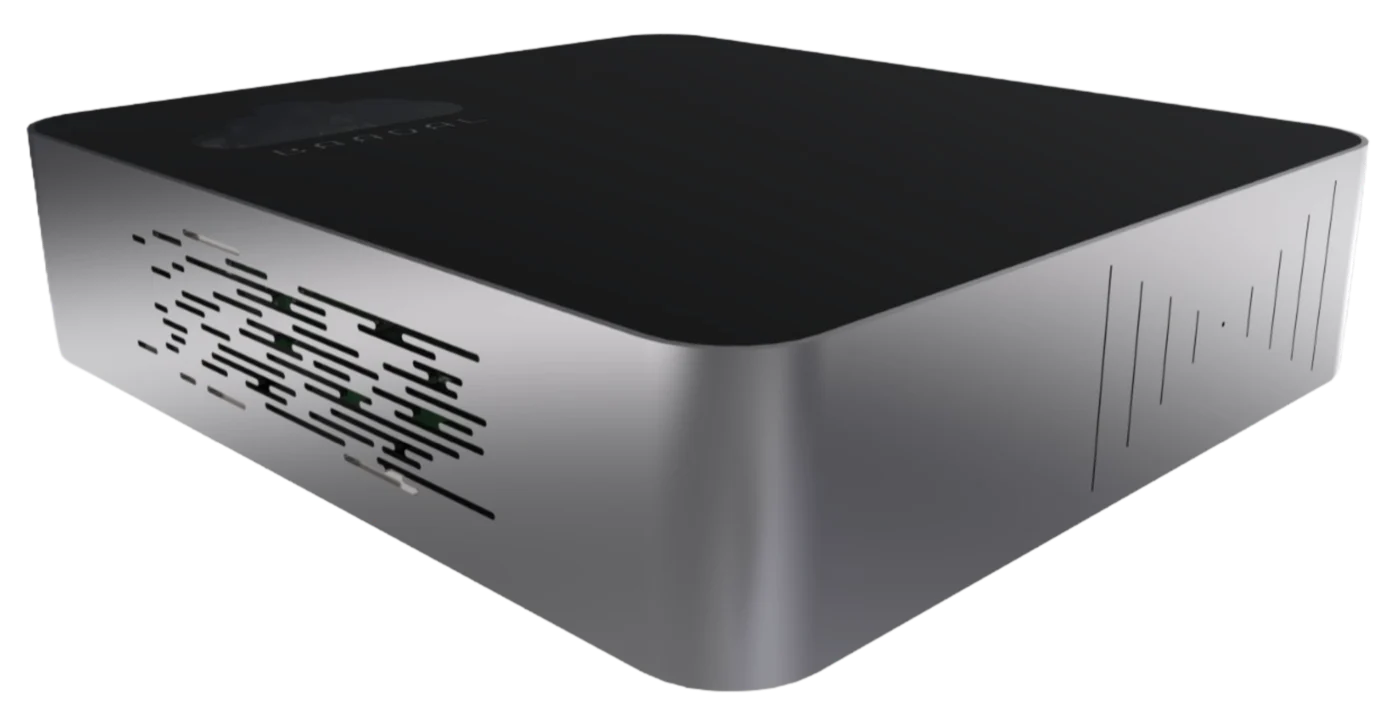
The 2-bay SSD Baadal: a low, flat silver box with a black lid
2-bay SSDup to 8 TB a drive
The 2-bay HDD Baadal: a silver cube with black sides
2-bay HDDup to 24 TB a drive
Drives
Mirrored (each file on both drives) or combined (all the space, no copy)
Folders
Clients/ · Projects/ · Accounts/ · Team/
People
Partners edit everything · staff edit their clients · clients view only
Software
Tally on a Windows virtual machine (BaadalVPS)

Step 3. You plug it in.

Put it on a desk or a shelf. Connect power and a network cable to your router. Open the myBaadal app and tap Set Up New Device: your phone finds the Baadal over Bluetooth and brings it online. Then your team installs myBaadal and signs in.

We do
Ship it ready with a quick-start card, and guide you while you connect it.
You do
Plug in two cables and follow the app. A network cable is best; Wi-Fi works too.
You get
Your files on every phone, laptop and browser in the firm.

In the box

The Baadal box
The box
Power cord
Power cord
Network cable
Network cable
Quick-start card
Quick-start card
Baadal found nearbymyBaadal · Set Up New Device

Step 4. We stay with you.

We walk your team through the apps, then look after the whole system under your annual support plan. When someone needs help, the myBaadal app has a Support button that reaches us on WhatsApp or email.

We do
Onboard your team, keep the software updated and watch your backups.
You do
Get on with your work. Add a new person in a few taps when you hire.
You get
One company in India answerable for the device, the software and the apps.

Annual support planWhat it covers

  • Software updates
  • Remote support
  • Hardware warranty
  • Backup monitoring

Your quote sets out the coverage, warranty terms and response times.

What you’re getting

One system, four parts. You buy it as one.

The device is the hardware. BaadalOS is what makes it a cloud instead of a hard disk. BaadalVPS runs your own software on it. The myBaadal apps put it on every screen. We set up the parts your firm needs.

  1. 01 · The hardware

    Baadal Device

    A small server for your desk or shelf. 2-bay SSD or 2-bay HDD. Designed and manufactured in India.

    About the device
  2. 02 · The software

    Users and rolesSearchSharingVersionsBackupsWorkflows

    BaadalOS

    Turns the box into your firm’s cloud: logins, permissions, search inside files, safe sharing and earlier versions to fall back on.

    About BaadalOS
  3. 03 · Your software

    tally-serverRunningerp-01Running

    BaadalVPS

    Windows and Linux virtual machines on the device, for Tally, an ERP, a CRM or a website.

    About BaadalVPS
  4. 04 · On every screen

    AndroidiPhoneiPadWindowsMacBrowser

    myBaadal apps

    How your team opens everything: the same files and permissions on every device.

    About the apps

Every day

How your team reaches the files.

Every connection leads back to the box in your office. Pick where you are to see the path.

In the office

Laptops and PCsOffice networkYour Baadal

Away from the office

myBaadal appsInternetyourname.baadal.coYour Baadal

Outside access waits until the internet is back

Full speed, inside the office.

Laptops and PCs on the office network open files straight from the Baadal. Big drawings, scans and Tally don’t wait on the internet.

The same files, from anywhere.

Outside the office, the myBaadal apps reach your Baadal at its own address, through Baadal’s relay, over encrypted connections. Nothing to set up on your router.

Baadal Connect on Windows and Mac sets up a private, encrypted link to your Baadal instead of the public address. Coming to Android and iPhone.

No internet? The office keeps working.

Everyone in the office carries on over the office network. Access from outside and sync between offices need the internet, and pick up again when it’s back.

Who does what

You run your firm. We run the system.

Most of the work is ours. Here is everything that happens, and whose job it is.

Who does each part of setting up and running Baadal
TaskWhose job
Recommend the right model and drivesBaadal
Plan your folders, people and rolesTogether
Set it all up and install your software, like TallyBaadal
Plug in power and the network cableYou
Install myBaadal on your team’s phones and computersYou, with our guide
Add a person when your team growsYou, from the app or browser
Disable the account of someone who leavesYou, in the browser
Software updates and backup monitoringBaadal
Repairs under warrantyBaadal

Questions

Before you get started.

Something else? Ask us on WhatsApp

What is a private cloud server?

A private cloud server is a server your firm owns and uses as its own cloud: your team opens the same files from phones, laptops and browsers, on the office network or from anywhere. Baadal is one: a small server that sits in your office and holds your firm’s files. You own the device and the data, and we set it up and support it.

How long does setup take?

We start with a 20-minute call, set up your folders, users, roles and software before shipping, then guide you through connecting power and network and onboarding your team. We confirm the schedule after we’ve seen your data, software and how much needs moving.

What do I need in the office?

A power socket and a free port on your router or network switch. A network cable is best; Wi-Fi also works. For access from outside the office, an internet connection.

Do I need an IT person?

No. We set it up, and the annual support plan covers software updates, remote support, hardware warranty and backup monitoring. Day to day, an admin adds people and changes access from the app or the browser.

What happens if the device fails?

Contact Baadal support and we’ll diagnose it and arrange recovery or repair under your support and warranty terms. Mirrored drives protect against a drive failure; scheduled backups protect a separate copy. You need both.

How do I pay for it?

Buy the device once, then one annual support plan. No per-user, per-GB or bandwidth charges from Baadal. We quote for your team size, storage, software and offices.

Step 1 starts here

Book the 20-minute call.

We’ll show you Baadal running with a folder structure built for your kind of practice, and tell you what it would cost for your team.

Or call +91 78620 22715

The Baadal device: a small silver server with a black top
Designed, built and supported in India