Baadal™
Matter and document management for law firms & advocates
Every matter file, draft and court order. Open only to the people on the matter.
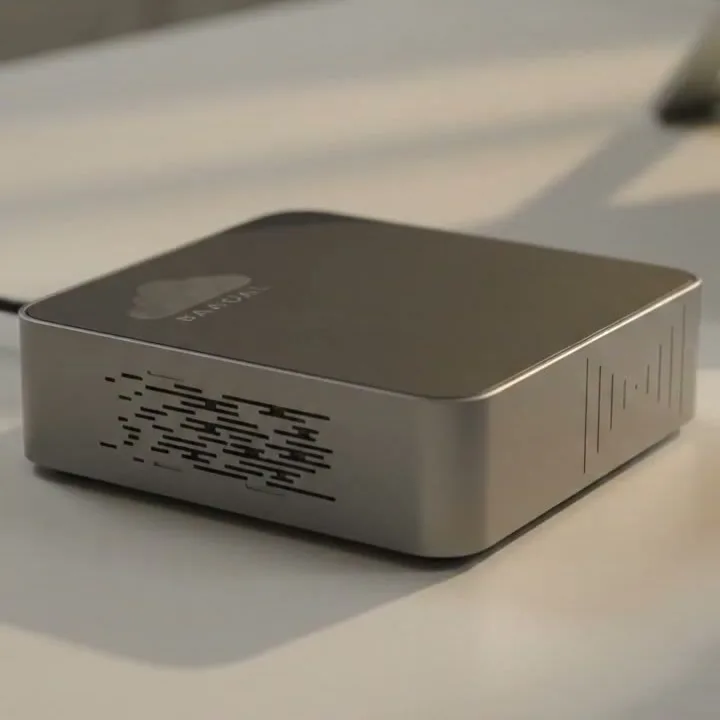
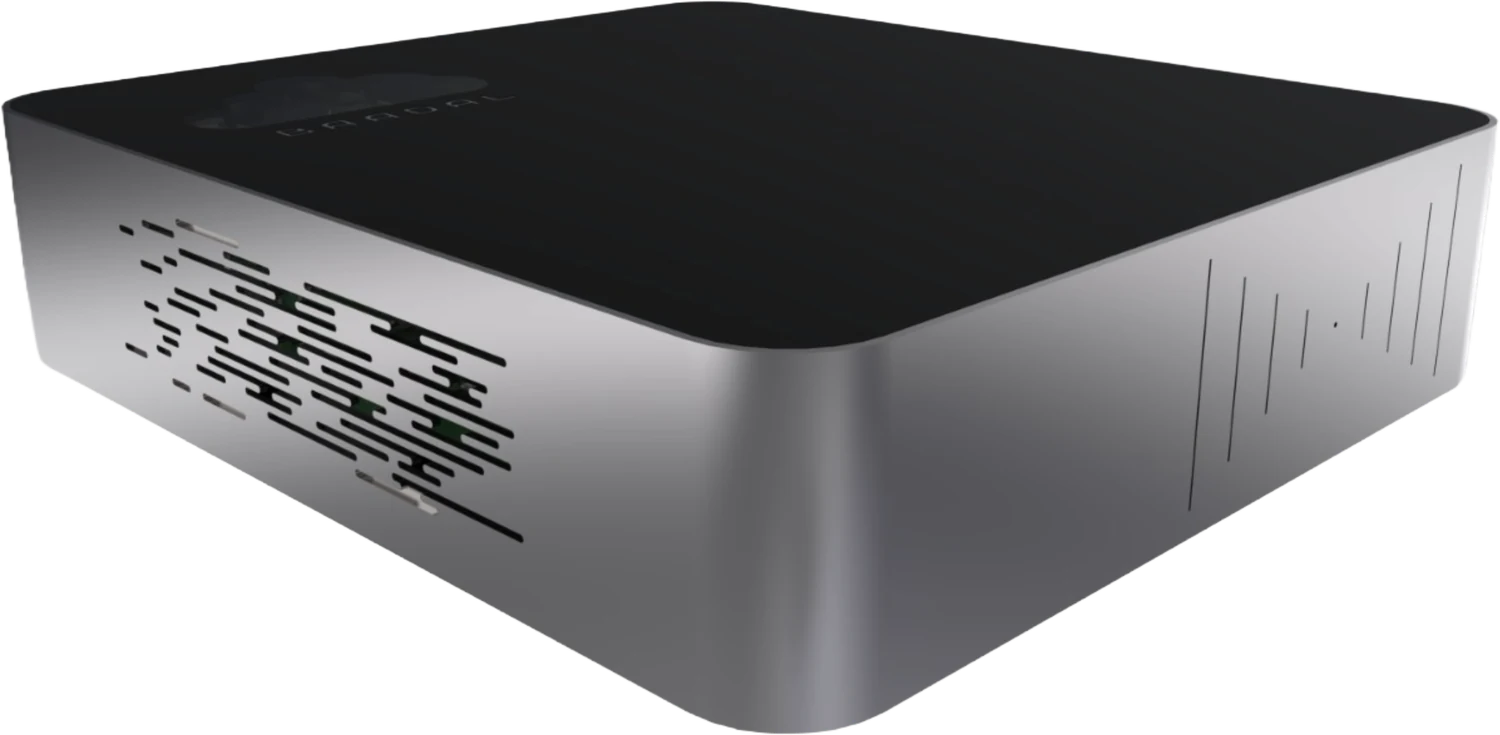
Baadal is a private cloud server that sits in your chambers and holds pleadings, agreements, scanned court papers and orders, filed matter by matter. Partners, associates, juniors and your clerk open only the matters shared with them, from the office, the court complex or home.
- Access set matter by matter
- Edits and shares listed in Activity
- Search inside scanned court papers
Grounds
Where a matter file slips out of your hands, and what changes.
-
Which draft is final?
The agreement went back and forth with the other side for weeks. Now “final”, “final_v2” and “final_clean” sit on different laptops, and nobody is sure which one the partner approved.
With Baadal One draft in the matter folder, with earlier versions you can restore from its history.
-
The associate who left
An associate leaves for another firm. Their laptop, their personal Drive and their WhatsApp still hold your clients’ papers from every matter they touched.
With Baadal The papers were filed on the firm’s Baadal, not a personal Drive. One switch ends their sign-in, and every matter stays where it was filed.
-
The order nobody can find
Opposing counsel relies on a 2019 order in your own matter. Your clerk spends the afternoon in the record room hunting for your copy of it.
With Baadal Search the case number and the scanned order comes up, whatever the file was named.
Who can open this matter?
Open the same matter as five different people.
Here is one matter, shared the way many chambers would set it up. Pick who is opening it to see which folders open for them, what their search turns up, and what their own Activity list shows.
Partners, as a rule
- The matters they lead; the managing partner can open all
- If they are the firm’s admin, adding people and switching accounts off
Associates, as a rule
- The matters they are assigned to
- Pleadings, drafts and orders on those matters
- Cannot open: The partners-only advice and strategy folders
Juniors & paralegals, as a rule
- Only the matters a senior puts them on
- Saving drafts into that matter
- Cannot open: The rest of the firm’s matters
Clerks / munshis, as a rule
- Orders, filings and the case diary
- Uploading order copies and scans
- Cannot open: Draft opinions, advice notes and case strategy
Your clients, as a rule
- An upload folder for their own matter
- Links to the filed copies you send them
- Cannot open: Any other client’s matter
Commercial Suit No. 412 of 2025 · For the defendant
Orbit Finance v. Kothari Textiles
Opened as Associate on the matter
Associate on the matter: 9 of 10 folders open, 1 locked. A search for “status quo” finds 1 paper.
- Engagement & Vakalatnama Open · can edit
- Client Papers Open · can edit
- Uploads from Client Open · can edit
- Pleadings Open · can edit
- Applications Open · can edit
- Orders & Judgments Open · can edit
- Evidence Open · can edit
- Drafts Open · can edit
- Notices & Correspondence Open · can edit
- Partners only · Advice & Strategy Locked · not shared
Their search for “status quo”
- Order_
14-08-2026_ 04 Orders & JudgmentsCC.pdf
Activity · Matter 2026-114
Their list shows only entries in folders shared with them. Their own edits and uploads are highlighted.
- Clerk addedOrder_
14-08-2026_ CC.pdf - Associate editedRejoinder_
draft.docx - Client addedBank_
Correspondence_ 2024.pdf - Managing partner editedAdvice_
note_ status-quo.docx - Managing partner shared a link toBrief_
to_ Counsel · 2026-114.pdf
Activity covers papers added, edited, shared, deleted and restored, plus downloads through public links. Reading a paper leaves no entry.
An example set-up, not a default: nobody sees a folder until it is shared with them, as a person or as part of a group.
Matter-wise folders
Open a matter and its folders are already there.
Litigation and transactional work each get a matter template, laid out by our team before the device reaches your chambers. Your juniors and clerk know where a vakalatnama, a written statement or the CC of an order goes without being told.
- Litigation matters laid out by stage: pleadings, applications, orders, evidence
- Drafts kept apart from what was filed or signed, so a working copy is not mistaken for the final one
- Partners’ advice notes and case strategy kept in a separate partners-only folder, outside the folders the matter team can open
- Matters
- 2026-114 · Orbit Finance v. Kothari Textiles
- 00_
Engagement & Vakalatnama - pdfVakalatnama_
signed.pdf
- pdfVakalatnama_
- 01_
Client Papers - Uploads from Client
- 02_
Pleadings - pdfPlaint_
as_ served.pdf - pdfWS_
filed_ 12-02-2026.pdf
- pdfPlaint_
- 03_
Applications - IA 2231-2026 · Order XXXIX
- 04_
Orders & Judgments - pdfOrder_
14-08-2026_ (highlighted)CC.pdf
- pdfOrder_
- 05_
Evidence - pdfPW-1_
Affidavit_ in_ Evidence.pdf - Exhibits
- pdfPW-1_
- 06_
Drafts - 07_
Notices & Correspondence
- 00_
- 2026-121 · Project Banyan · SPA
- xlsxCase_
Diary_ 2026.xlsx
- 2026-114 · Orbit Finance v. Kothari Textiles
- Partners only · Advice & Strategy
- 2026-114 · Orbit Finance
A day in chambers
The day your matter is on board.
On board todayOrbit Finance v. Kothari TextilesMatter 2026-114 · Commercial Suit No. 412 of 2025
Hearing days are when a paper gets left behind or the wrong draft goes out. Here is one, from the clerk’s first look at the cause list to an associate’s last search at night.
- Your clerk
Checks the cause list, opens the matter folder and confirms the paper book, the vakalatnama and the last order are all in it before anyone leaves for court.
- Associate in court
Waiting for the matter to be called, the associate notices the 2021 interim order is missing from the paper book, opens the matter folder in the myBaadal app and has the order on the phone.
- Junior
Back in chambers, saves the revised rejoinder over yesterday’s draft. If the senior prefers yesterday’s wording, it can be restored from the file’s version history.
- Your client
Uploads the bank correspondence the team asked for into the folder of their matter that is shared with them. It arrives where the matter team will look, not in someone’s inbox.
- Senior partner
Goes through tomorrow’s matters from home, approves the reply to a legal notice, and sends the client the written statement as filed, on a view-only link that expires in a week.
- Associate, at home
Preparing tomorrow’s arguments, types “condonation of delay” and pulls up the applications filed on that point in earlier matters she worked on, so the research isn’t done twice.
Search inside every paper
Find the 2019 order by a line you remember from it.
Baadal reads the text inside scanned orders, paper books and signed agreements. Search by case number, party name or a phrase you remember from the judgment, or simply ask, and the paper surfaces no matter what the clerk named it.
- Your clerk scans a 900-page paper book for an appeal; search finds it by the words inside, not just its file name
- Search by case number, court, party or a clause you half-remember
- Results only include papers the person searching is allowed to open, so a junior’s search doesn’t surface a matter they aren’t on
- Get the gist of a long judgment or deed from an AI summary, then decide whether to open it
For AI search and summaries, you choose whether the AI runs on your Baadal or on an outside AI service.
Ask your files
The interim order in the Kothari matter that says “status quo”.
Found The order, scanned last year and saved as Scan_0193.pdf.
Which of our share purchase agreements put the arbitration seat in Mumbai?
Found The signed SPAs whose text names Mumbai as the seat.
Demand notices we sent under Section 138 this year.
Found The cheque-bounce notices saved this year, from whichever matter folder each one sits in.
Sign-offs in your chambers
Set the sign-offs your chambers already insists on.
A pleading or an agreement passes through several hands before it leaves chambers. Set the order they go in, with the partner’s approval as a step of its own, and we build the flow on your Baadal.
Due diligence reports, legal notices and contract reviews can each follow a flow of their own; we set them up with you while configuring Baadal.
Clerk
Papers in
Saves the served plaint and its documents into the new matter’s Pleadings folder and notes the date the written statement is due.
Junior
First draft
Drafts the written statement in the matter’s Drafts folder, working from the client’s papers in the same matter.
Associate
Review
Marks up the draft, checks the annexures against the client’s documents, and approves it or sends it back.
Partner
Settle and approve
Settles the final text and clears it to go to the client for signature and verification before it is filed.
Clerk
Filed copy saved
Saves the filed copy with its diary number into Pleadings and shares it with the client as a view-only link.
Privilege and confidentiality
The privilege is your client’s. Keeping it is your duty.
Clients tell their advocate what they tell nobody else. The Bar Council of India Rules and the law of evidence already expect that to stay protected, the Digital Personal Data Protection Act, 2023 adds security duties as its phases come into force, and a client may well ask who has seen their papers.
-
Bar Council of India Rules · duty to the client
Don’t breach, directly or indirectly, the confidentiality the law of evidence places on what a client tells you.
How Baadal helps. Each matter folder opens only for the people it is shared with. A junior on one matter doesn’t see the next, and a client sees only the folder shared with them.
-
Bharatiya Sakshya Adhiniyam, 2023 · advocate–client communications
Without the client’s express consent, don’t disclose what they told you, what their documents contain, or the advice you gave. The duty outlasts the engagement and binds your clerks and staff as well.
How Baadal helps. Advice notes and case strategy can sit in a separate folder shared only with the partners, and nobody else’s search turns them up.
-
DPDP Act, 2023 · reasonable safeguards
Once this part of the Act applies (scheduled for May 2027), protect the personal data you hold with reasonable security safeguards to prevent a breach.
How Baadal helps. Files sit on encrypted drives. Access is set per matter, and links can be view-only, time-limited or withdrawn.
-
DPDP Act, 2023 · when others hold your data
From the same date, responsibility for a client’s personal data stays with your firm, whoever you pay to store or process it.
How Baadal helps. Matter files stay on hardware your firm owns, not with a cloud storage provider. Where backups go is your choice: a USB drive, your own network, or a cloud bucket you pick.
Note. Baadal is a tool for meeting these duties, not a substitute for meeting them. The DPDP Act is coming into force in phases: under the timetable notified with the DPDP Rules in November 2025, most duties on firms apply from May 2027, and the government has proposed bringing some forward, so check the current dates. Several obligations are relaxed where processing is necessary to enforce a legal right or claim, but the duty to keep personal data secure still applies. This is a summary for orientation, not legal advice.
Old matters
A disposed case isn’t a closed file.
Orders get executed, appealed and cited for years after the last hearing. Baadal keeps old matters searchable on the firm’s own hardware, without a back room full of bundles.
Decrees
12 years to execute
Under the Limitation Act, 1963, an application to execute a decree can generally be made up to twelve years after it becomes enforceable, so the file behind it may be needed for that long.
Closed matters
A period you decide
There is no one period that fits every closed matter. Set one by practice area, and keep longer where a will, a title or a long-running contract is involved.
Client money
Accounts per client
The Bar Council of India Rules expect an advocate to keep accounts of money a client entrusts to them, showing amounts received, expenses and fees, with dates.
Kept safe by
- Version history and undelete
- RAID mirroring
- Scheduled backups
- Encrypted drives in chambers
- Matter-wise access control
Note. A summary to orient you, not legal advice. Limitation and record-keeping rules vary with the court and the type of matter, so check what applies to each.
Software in your chambers
Practice software, PDF tools and Office, kept in chambers.
Case or practice management software that installs on Windows or Linux can be hosted on Baadal, inside a virtual machine of its own, so the firm works from one copy instead of one partner’s PC. Online research databases stay online; you keep using them in the browser.
- One copy of your practice software and its data for the whole firm
- Full speed over the office network in chambers, and reachable from court or home over the internet
- Snapshot the practice software’s virtual machine before an upgrade is installed
Before anything is hosted, your Windows, practice-software and user licences have to allow it; we go through them with you on the demo call.
Desktop software a law firm can host on Baadal
- Microsoft Office
- Adobe Acrobat
- Foxit PDF Editor
- LibreOffice
- TallyPrime
Product names and logos belong to their owners and are shown to indicate software that can run on a Baadal virtual machine. Baadal is not affiliated with these vendors.
Comparative statement
Three places to keep matter files, compared.
| What matters | Google Drive / Dropbox | A NAS from a shop | Baadal |
|---|---|---|---|
| Where matter files are held | Provider’s infrastructure | Your premises | Your premises, on hardware you own |
| Keeping a junior out of other matters | Sharing set folder by folder, by whoever created it | Share permissions set by whoever installed it | Each matter shared with its own people or group, listed in that folder’s sharing panel |
| Answering “who could see my papers?” | Sharing shown file by file; audit reports depend on the plan | Per-share permissions on the box, checked by hand | Each matter’s sharing panel shows its people, groups and links |
| When an associate leaves | Their account and every link they shared need tracking down | Remove the user, then check each share | Disable the account: sign-in stops, files stay, their links stop working |
| Finding an old order | Supported file types and plans vary | Depends on indexing software and file type | Full-text search inside scanned orders and paper books, plus AI search |
| Practice software for the whole firm | Needs its own hosting or a cloud subscription | Often lives on one office PC | Hosted on Baadal itself; the firm reaches it from chambers, court or home |
| Who sets it up | Your team or an IT partner | Your team or an IT partner | Baadal’s team lays out the matter templates, user accounts and practice software before delivery |
| What you pay | Provider plan; costs depend on users and storage | Hardware, plus any software and support | One-time hardware + annual support plan |
Capabilities depend on the product, plan, hardware and configuration.
Questions chambers ask
What chambers want to know before moving a single file.
Can a junior be kept out of matters they are not working on?
Yes. New accounts start with nothing shared, so a junior sees only the matters a partner or associate adds them to. Take them off a matter and its folders drop out of their view, unless a group they belong to still has access.
An associate is leaving. What happens to the matters they worked on?
Disable their account. They can no longer sign in, the files they worked on stay with the firm, and links they had shared stop working. Copies they downloaded earlier are outside Baadal’s reach, which is why sensitive shares can have downloads switched off.
Will it read our old scanned court papers?
Yes. Baadal reads the text inside scanned PDFs and images, so an order saved as “Scan_0193” can be found by case number, party name or a phrase from the order. How well it reads depends on the quality of the scan.
If our files are on Baadal, have we covered the DPDP Act?
Not on its own. It helps with the parts that depend on where client data sits and who can reach it: on hardware your firm owns, encrypted, shared only with the matter team, with links you can withdraw and an Activity list of edits and shares. Privacy notices, consent where it is needed and your firm’s own policies are still yours to put in place before the Act’s main duties start to apply, currently scheduled for May 2027.
Can we run our case management software on it?
If it installs on Windows or Linux, it can run on a virtual machine on your Baadal and the whole firm uses the one copy. Web-based research databases and online case management services stay where they are. Tell us what you use and we check it, along with your licences, on the demo call.
What happens on a hearing day if the internet goes down?
In chambers, everyone keeps working on the office network as long as Baadal and your network have power. Opening files from court or from home needs an internet connection.
Can our chambers in two cities work on the same matters?
Yes. Both offices work on the same matter files, and the managing partner decides who in each office can open which matters.
What if the server fails the week before a hearing?
Call Baadal support and we diagnose it and arrange recovery or repair under your support and warranty terms. If your drives are set up mirrored, that helps if one fails, and scheduled backups keep a separate copy, because mirroring alone is not a backup.
Book a 20-minute demo
Follow one matter from served plaint to filed copy.
In a 20-minute demo we walk through how matter-wise access, search inside scanned orders and links for counsel would work in your chambers, check the software you run, and then quote for your team.
Call +91 78620 22715
Baadal is deployed across healthcare, finance, legal, manufacturing and retail businesses in India.