 Baadal™
DWG · A-000CAD file management for architects & interior designers
Drawings, Revit models and renders. One shared set, on a server your studio owns.
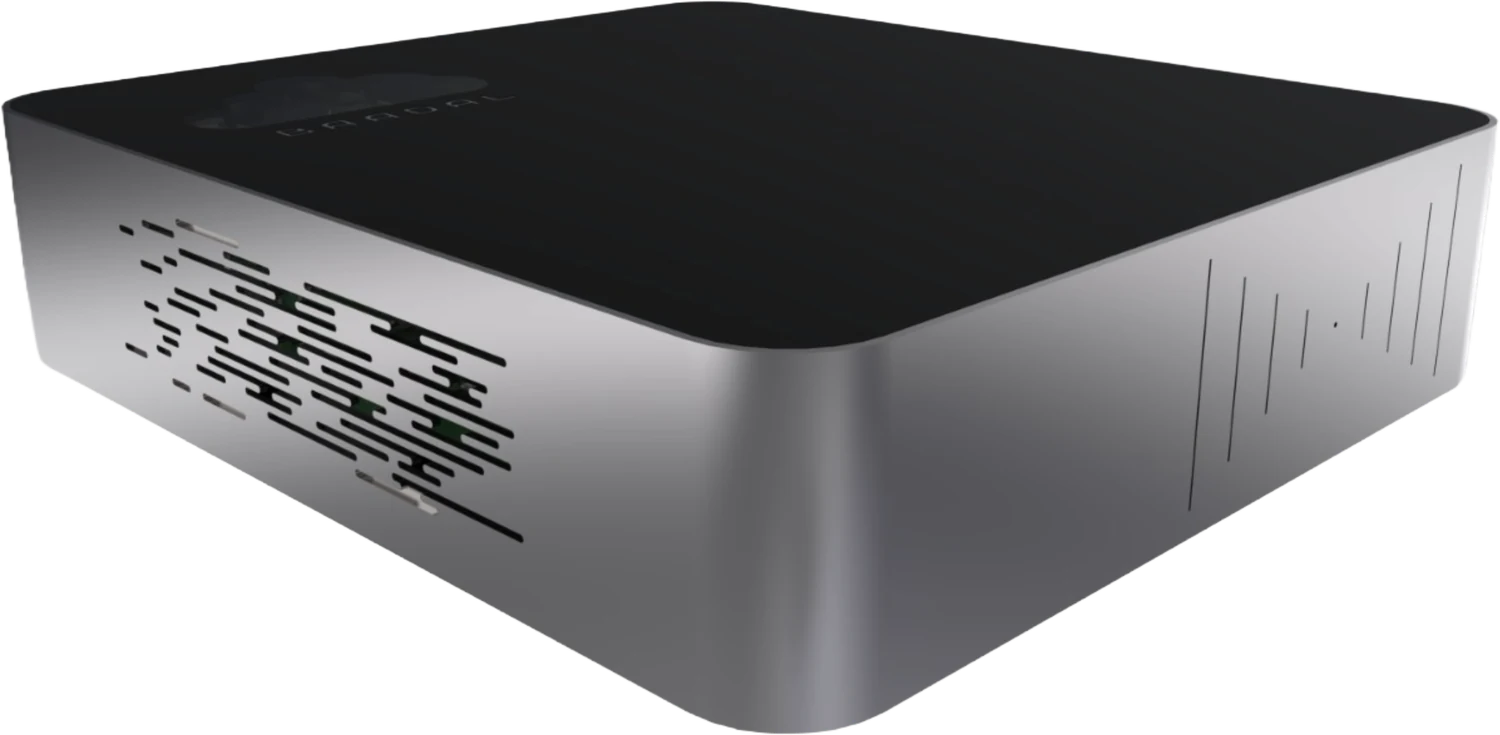
DWGs, Revit and SketchUp files, renders, BOQs and site photos move off individual desks and onto Baadal, a private cloud server in the studio, opened over the office network at full speed. Site engineers, consultants and clients get only the sheets you choose to share.
General notes
- Drawings open over the studio network
- Consultants upload into their own folder
- Clients get links you can revoke
 123456
 - 1DWGA-101_Ground_Floor_Rev07.dwg
- 2RVTBaner_Residence_R12.rvt
- 3SKPFacade_Option_C.skp
- 4XLSFinishes_Schedule_Rev3.xlsx
- 5JPGLiving_Room_Dusk_Render.jpg
- 6PDFPMC_Building_Permission.pdf
Wrong revision, heavy files, one fragile workstation.
- Existing · to be removed
The contractor built the staircase from Rev 05. Rev 07 was on a junior’s desktop, and the PDF in the site WhatsApp group was a week old.
ProposedStudio and site open the same issued drawings, from one place.
- Existing · to be removed
The 3 GB walkthrough is too heavy to email. It reaches the client on a USB stick, or through whichever free transfer site someone found that morning.
ProposedShare it as a link from your own server, with an end date you set.
- Existing · to be removed
The Revit model for a live project exists on one designer’s workstation. When that machine won’t boot, or the designer resigns, the project goes with it.
ProposedProject models live on Baadal, not on anybody’s desk.
One sheet, four revisions. Site builds from the issued one.
Every studio has a sheet like A-101: revised, issued, revised again. On Baadal the issued revision sits in Good for Construction, earlier issues move to Superseded, and your site engineer’s access reaches only the first. Pick a revision to see what changed.
- WorkingDrafts in progress. Your team only.Not shared with site
- Good for ConstructionThe issued revision. Shared with site.Not shared with site
- SupersededEarlier issues, kept for the record. Closed to site.Not shared with site
| Rev | Date | Issued for | What changed |
|---|---|---|---|
| R04 | 12 Aug 2026 | Client approval | Puja room added off the living room, at the family’s request. Stair position held, to be confirmed. |
| R05 | 02 Sep 2026 | Tender | Straight staircase drawn along the south wall of the living room. |
| R06 | 19 Sep 2026 | Client approval | Kitchen island added after the client’s kitchen changes. |
| R07 | 08 Oct 2026 | Good for Construction | Staircase turned into a dog-leg with a mid landing, to suit the structural consultant’s revised beam. |
R07 is the issued revision, in Good for Construction. Staircase turned into a dog-leg with a mid landing, to suit the structural consultant’s revised beam.
An illustration. Your project architect, or a workflow you set up, moves each issued set between these folders, and earlier versions of a file can also be restored from version history while version history still holds them. Older versions are thinned out over time and can be cleared sooner if space runs low.
Numbered folders, waiting for every new commission.
The numbering is agreed with you and loaded onto Baadal before it reaches the studio. A revision, a render and a sanction letter each have one obvious home, and a new junior finds it without asking.
- Numbered the way a commission runs: brief, concept, models and renders, approvals, consultants, drawings, BOQ and tender, site, handover
- Consultants see only their discipline folder; clients see only what you issue
- Rework the template and every later commission inherits the change
- 00Brief & AppointmentEmpty until needed
- 01Concept & Massing
- skpFacade_Option_C.skp
- 02Models & Renders
- rvtBaner_Residence_R12.rvt
- mp4Walkthrough_Final.mp4
- 03Approvals
- pdfPMC_Building_Permission.pdf
- 04Consultants
- Structure
- MEP
- 05Drawings
- Working
- Good for Construction
- dwgA-101_Ground_Floor_Rev07.dwgIssued
- Superseded
- 06BOQ & TenderEmpty until needed
- 07Site
- Photos & Snag Lists
- 08Handover & As-builtEmpty until needed
From a junior’s markup to the GFC issue, on a route you define.
Name who checks a drawing set, who approves it and who issues it, and that becomes the route every issue takes on your Baadal.
- 01 Junior architect
Drafted
Revised sheets are saved in the Working folder, with the changes clouded and the revision table updated.
- 02 Project architect
Checked
Checks the set against the structural and MEP drawings, then passes it up or sends it back to be fixed.
- 03 Principal
Approved
The principal approves the set before it leaves the studio.
- 04 Project architect
Issued
Moves the approved set into Good for Construction, shifts the earlier revision into Superseded and records the issue.
- 05 Site engineer
On site
Pulls up the issued PDFs on a tablet, so the contractor’s team builds from that revision and no other.
Design approvals, snag lists and handover can follow routes of their own; tell us how they run today and we map them for you.
Juniors, site, consultants and clients each get their own view.
Access follows role and project. When a junior moves to another project or a consultant’s scope ends, take them out of that project’s group and remove any share or link you gave them directly; the project folder’s sharing panel lists each one.
| Mark | Role | Opens | Doesn’t open |
|---|---|---|---|
| Principals |
| Nothing closed | |
| Architects & juniors |
|
| |
| Site engineers |
|
| |
| Consultants |
|
| |
| Your clients |
|
|
Every project’s paperwork, searchable by what it says.
Baadal reads the words inside your documents, scanned paper included, so a sanction letter, a consultant’s report or a vendor quote can be found by what it says. Ask in plain words; the file name doesn’t matter.
- Reads the words inside scanned sanction letters, reports and BOQs
- Reads the text inside your DWG and Revit drawings, and finds a render or site photo by what is in the picture
- Searches every project, live and archived, in one go
- Get a short summary of a long consultant report without opening it
“The PMC sanction letter for the Baner project.”
FindsRead off the stamped scan filed in the project’s 03_Approvals.
“Which projects used Kota stone from that Jaipur supplier?”
FindsEvery vendor quote and issued BOQ that mentions it, across all projects.
“What did the structural consultant say about the cantilever?”
FindsTheir report, with a short summary to read before you open the PDF.
“Photos of the first-floor slab reinforcement, before the pour.”
FindsYour site engineer’s phone photos in 07_Site, found by what is in the picture and the date it was taken.
Keep AutoCAD, Revit and SketchUp on the workstations. Keep the files on Baadal.
AutoCAD, Revit, SketchUp, Lumion, Enscape, V-Ray and Photoshop stay installed on your team’s workstations, where the graphics cards are. The drawings, models and renders they work on live on Baadal, reached over the studio network instead of being copied from desk to desk. Baadal can also run Windows and Linux virtual machines for the software that runs the studio itself.
On your workstations
- AutoCAD
- Revit
- SketchUp
- Lumion
- Enscape
- V-Ray
- Photoshop
Installed where the graphics cards are, as today.
On your Baadal
Drawings · models · renders · walkthroughs
Virtual machines
- TallyTallyPrimeWindows VM · fees and practice accountsRunning
- PTProject & timesheet trackerUbuntu VMRunning
- CRMEnquiries & CRMLinux VMStopped
- Your design software stays on the machines that run it today
- Drawings, models, renders and walkthroughs sit in one place, not on each desk
- Studio accounts, a project tracker or timesheets can run on a VM beside your files
Please noteBaadal stores and shares your design files; it isn’t a Revit worksharing server, and it doesn’t let two people edit one drawing at once. Software, Windows and user licences for anything hosted on a VM must cover the users and access you need. We go through your setup on the demo call.
Office-side software a studio can host: accounts, projects, timesheets
- TallyPrimeWindows
- BusyWindows
- OdooLinux
- ERPNextLinux
- OpenProjectLinux
Product names and logos belong to their owners and are shown to indicate software that can run on a Baadal virtual machine. Baadal is not affiliated with these vendors.
A client’s home plan is private. So is your design.
Your files show where a family sleeps, where the locker sits and what the house will cost, next to their ID copies and property papers. Interior designers add photographs of the inside of people’s homes. Your client agreements, the Council of Architecture’s conduct rules, copyright law and the Digital Personal Data Protection Act, 2023 all bear on how you keep them.
Architects Act, 1972: Architects (Professional Conduct) Regulations, 1989
What it asksFor architects registered with the Council of Architecture, these regulations ask for service of a high standard and a high standard of integrity. They lay down no filing rule, but a client’s plans and papers handled carelessly sit badly with both.
How Baadal helpsProject folders stay private until you share them. A client is let into their own project and no other, and studio staff open only the projects assigned to them.
Client agreements: NDAs
What it asksDevelopers and corporate clients often require unreleased schemes, layouts and costs to stay confidential.
How Baadal helpsShare sheets view-only with downloads off, give them an end date, and revoke a consultant’s access the day their scope ends.
Copyright Act, 1957: architectural works
What it asksDrawings, plans and works of architecture are protected as artistic works. Who owns them depends on who made them and what your agreement says.
How Baadal helpsYour drawings and models stay on hardware your studio owns, with version history, and outside parties get only the sheets you choose to share.
DPDP Act, 2023: protecting client data
What it asksAs its main duties come into force (the Act is being brought in by phases, alongside the DPDP Rules, 2025), protect the personal data you hold, from client IDs and addresses to photos of their homes, with reasonable security safeguards.
How Baadal helpsThe studio’s files sit on encrypted drives, access follows role and project, and links can be made view-only, given an expiry or revoked.
DPDP Act, 2023: if data leaks
What it asksOnce this duty applies, a personal data breach has to be reported to the Data Protection Board of India and to each person it affects.
How Baadal helpsEach project’s share list tells you who could reach it, and Activity records what went out by link and what was downloaded through one: a starting point for working out what was exposed and whom you need to tell.
Not legal adviceBaadal helps with these duties; on its own it doesn’t discharge them. Consents, privacy notices, your contracts and how your team handles files still matter. This is a summary for orientation, not legal advice.
The stamped set, the certificates, the as-builts. Kept, and found years later.
A building outlives its project file. Clients, buyers, authorities and lawyers come back for drawings long after handover. Baadal keeps that archive in the studio, searchable, for the day someone asks.
Municipal approvals
The sanctioned set, as stamped
Sanctioned plans, the commencement certificate and the completion or occupancy certificate get asked for again when a client extends, sells or regularises. Keep the stamped scans beside the drawings they approved.
RERA projects
Every certificate you sign
Under the Real Estate (Regulation and Development) Act, 2016, a promoter draws money from a registered project’s separate account only after an engineer, an architect and a practising CA certify that the withdrawal is in proportion to how much of the project is complete. Keep each certificate you sign with the site record behind it.
After handover
A record of what you issued
If a defect or a dispute surfaces years later, your issued drawings, transmittals and site instructions show what went out, to whom and when. How long to keep them is a question for your contracts and your lawyer.
- Version history and undelete
- RAID mirroring
- Scheduled backups
- Encrypted drives in the studio
Not legal adviceSummarised for orientation, not legal advice. What you must keep, and for how long, depends on the project, the contract and local rules.
How the usual options hold up for a studio’s drawings and models.
| What matters | Google Drive / Dropbox | A NAS from a shop | Baadal |
|---|---|---|---|
| Where drawings and models are kept | Provider’s infrastructure | Your premises | Your premises, on hardware you own |
| Opening a large model in the studio | Downloaded or synced to each workstation first | Over the office network, depending on the NAS and setup | Over the office network, from one shared location |
| Getting a walkthrough to a client | A share link, within the plan’s limits | Depends on how remote access is set up | A link from your own server, with an end date and revoke |
| Consultants sending revisions | A shared folder per consultant, set up by hand | Usually email or a transfer site, then saved by someone | Each consultant uploads into their discipline folder from your template |
| Finding a sanction letter from 2019 | Supported file types and plans vary | Depends on indexing software and file type | Ask in plain words; Baadal reads the stamped scan |
| When a junior leaves mid-project | Close the account, then trace the links they shared | Someone revisits each folder’s permissions | One switch: sign-in ends, project files remain, shared links go dead |
| Who sets it up | Your team or an IT partner | Your team or an IT partner | Our team loads your numbered template, users and roles ahead of delivery |
| What you pay | Provider plan; costs depend on users and storage | Hardware, plus any software and support | One-time hardware + annual support plan |
Capabilities depend on the product, plan, hardware and configuration.
What studios ask us before they move their projects.
Requests for information from studios like yours, answered.
RFI-01 Can two of us work on the same Revit model at the same time?
Baadal keeps the model in one place where the whole team can open it, but it isn’t a Revit worksharing server and doesn’t let two people edit one file at the same time. Agree who is working on which file, as you would on any shared drive. If a save goes wrong, version history lets you restore an earlier version.
RFI-02 Do we have to change AutoCAD, SketchUp or Lumion?
No. Your design software stays installed on your workstations as it is today. What changes is where the files are kept: on Baadal, reached over the office network. Studio software that installs on Windows or Linux, such as accounts or a project tracker, can also run on a virtual machine on the device.
RFI-03 Our renders and walkthroughs are huge. Can Baadal take them?
Renders and walkthrough videos are stored like any other file and open over the studio network. Tell us on the demo call how big your archive is and how fast it grows. Sending a large file to someone outside the studio depends on your internet connection.
RFI-04 Can site engineers and contractors upload photos from site?
Yes. Your site engineer uploads from a phone through the myBaadal app, straight into the project’s site folder. A contractor can be given a folder of their own on that project, and you take the access back when their work is done.
RFI-05 Can I show a client the design without them keeping a copy?
Send a view-only link with downloads switched off and an expiry date, and revoke it whenever you like. That stops easy downloading. Nothing can stop someone photographing a screen.
RFI-06 Can I open drawings at a client meeting or on site?
Yes, through the myBaadal apps on a phone, tablet or laptop, or in a browser, limited to the projects your role allows. Take issued sheets as PDFs; a DWG or RVT still needs CAD software or a viewer on that device. Access from outside the studio needs an internet connection, and the heaviest models are best opened on the office network.
RFI-07 We have years of projects on external hard disks. Can you bring them in?
Yes. Old projects go in like any other files: upload them, or drag them into the browser, straight into your numbered project folders. Our team guides your onboarding and can help you decide where each old job belongs.
RFI-08 Could a hardware fault cost us a submission?
Get in touch with Baadal support; we work out what failed and arrange recovery or repair under your support and warranty terms. If your drives are set up mirrored, that helps if one disk dies, and your scheduled backup is the separate copy. Mirroring on its own is not a backup.
Your next commission, filed before it starts.
Twenty minutes is enough to walk through numbered project folders, consultant uploads and client links. We also check the software your team runs and tell you what Baadal would cost for your studio.
Call +91 78620 22715
- Issued for
- A 20-minute demo
- Agenda
- Folders, consultant uploads, client links
- Built in
- India · Vadodara
- Call
- +91 78620 22715